Faster load-ins. Techs who love you. A reputation that follows you.
Showvella — stage plots, input lists, and everything your show needs to run. Design it once, keep it organized, and share it with confidence.
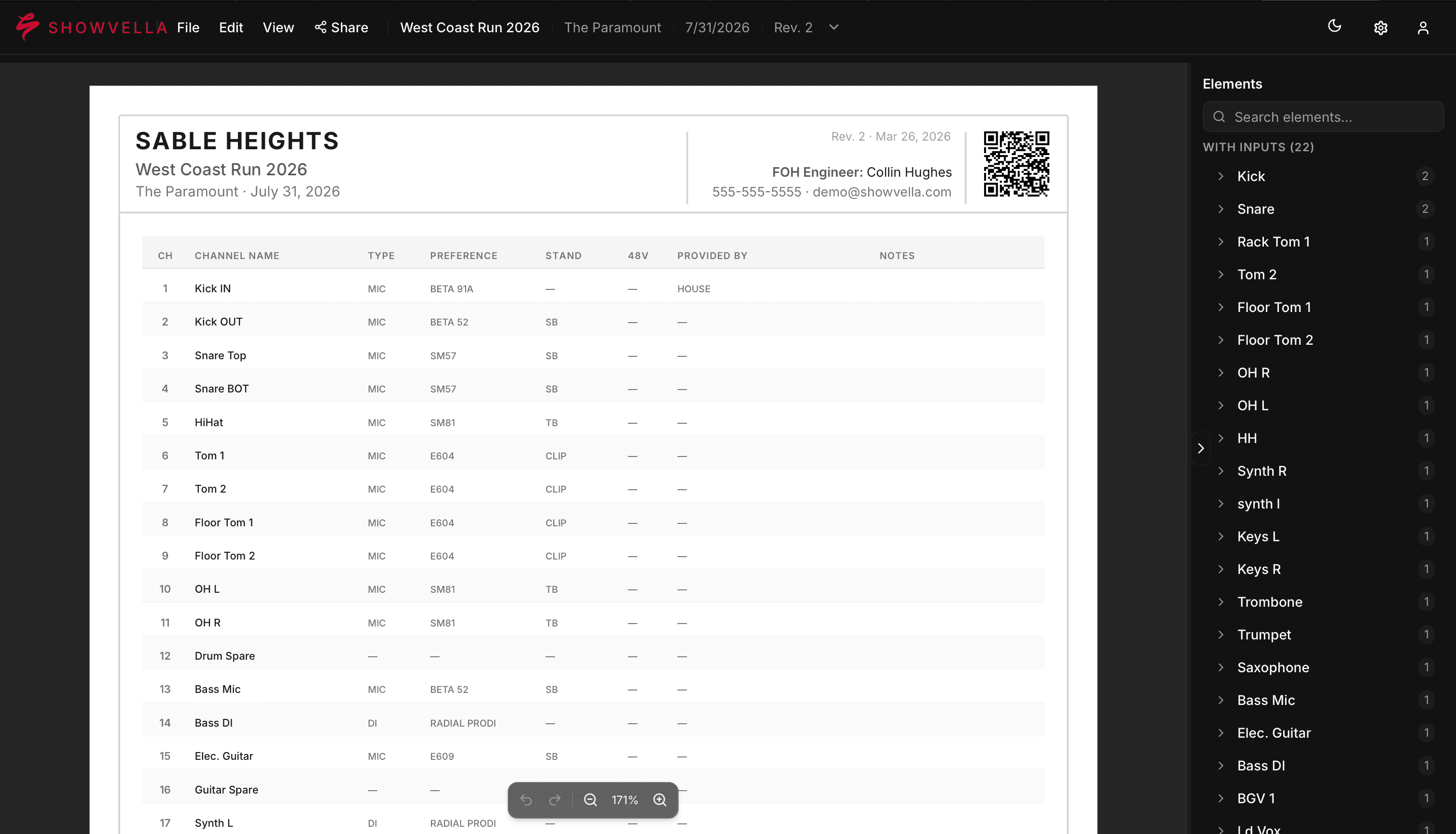
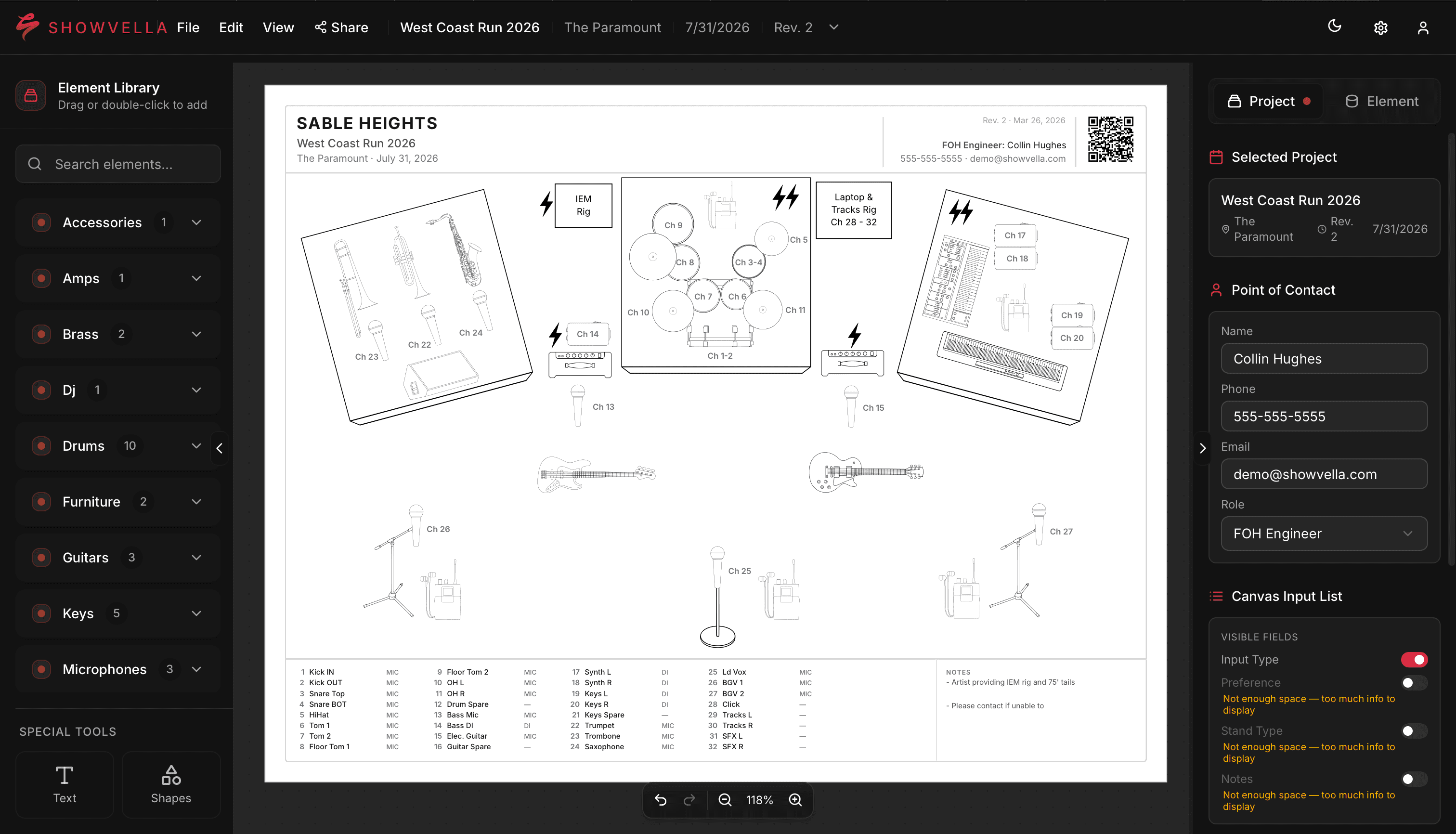
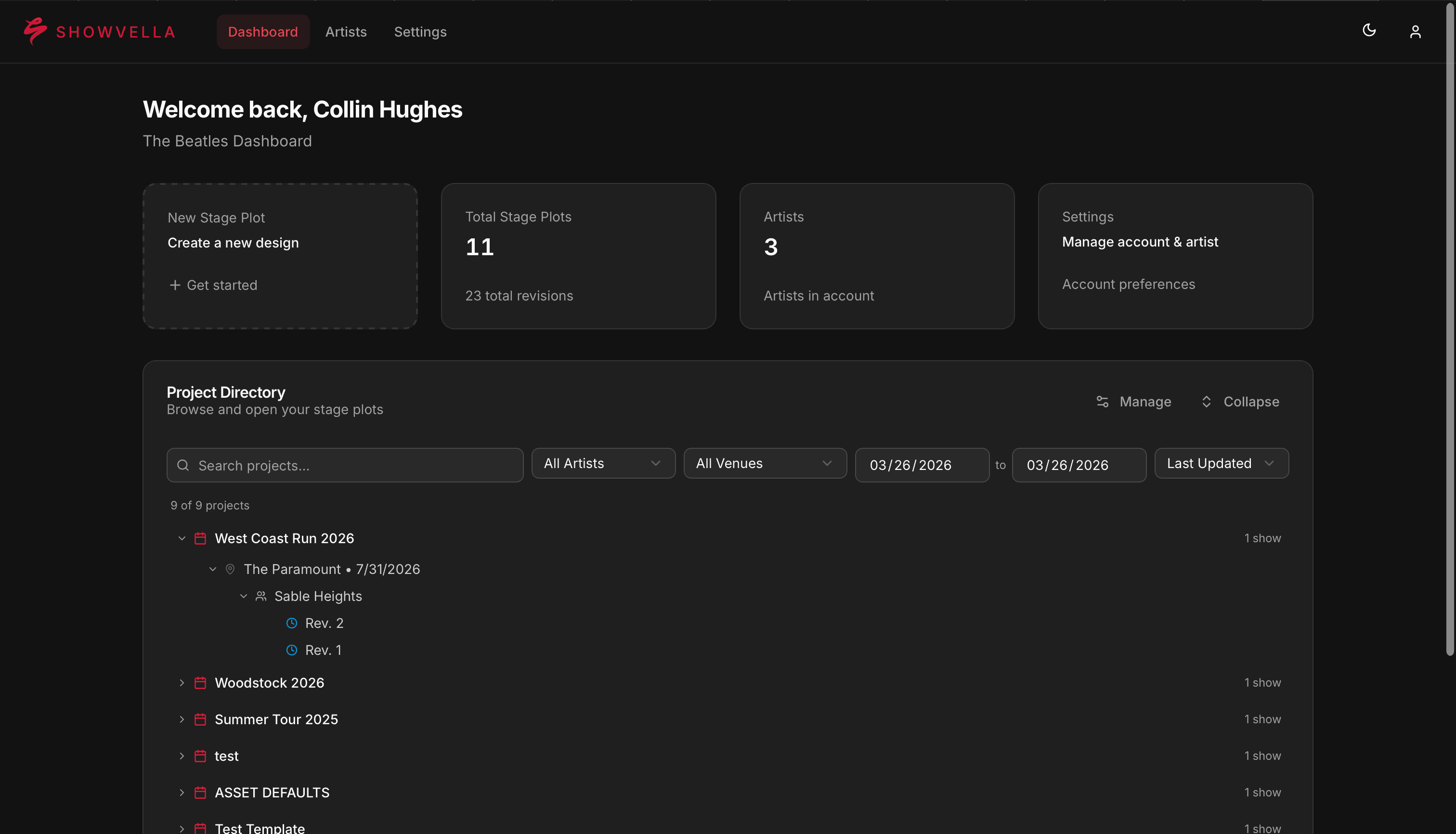
Never Send the Wrong Setup Again
Every show is different — your stage plot, input list, and details should be too. Showvella keeps everything tied to the right show, so nothing gets mixed up between gigs.
One show, one source of truth
Every change is tracked automatically
Share it and forget it
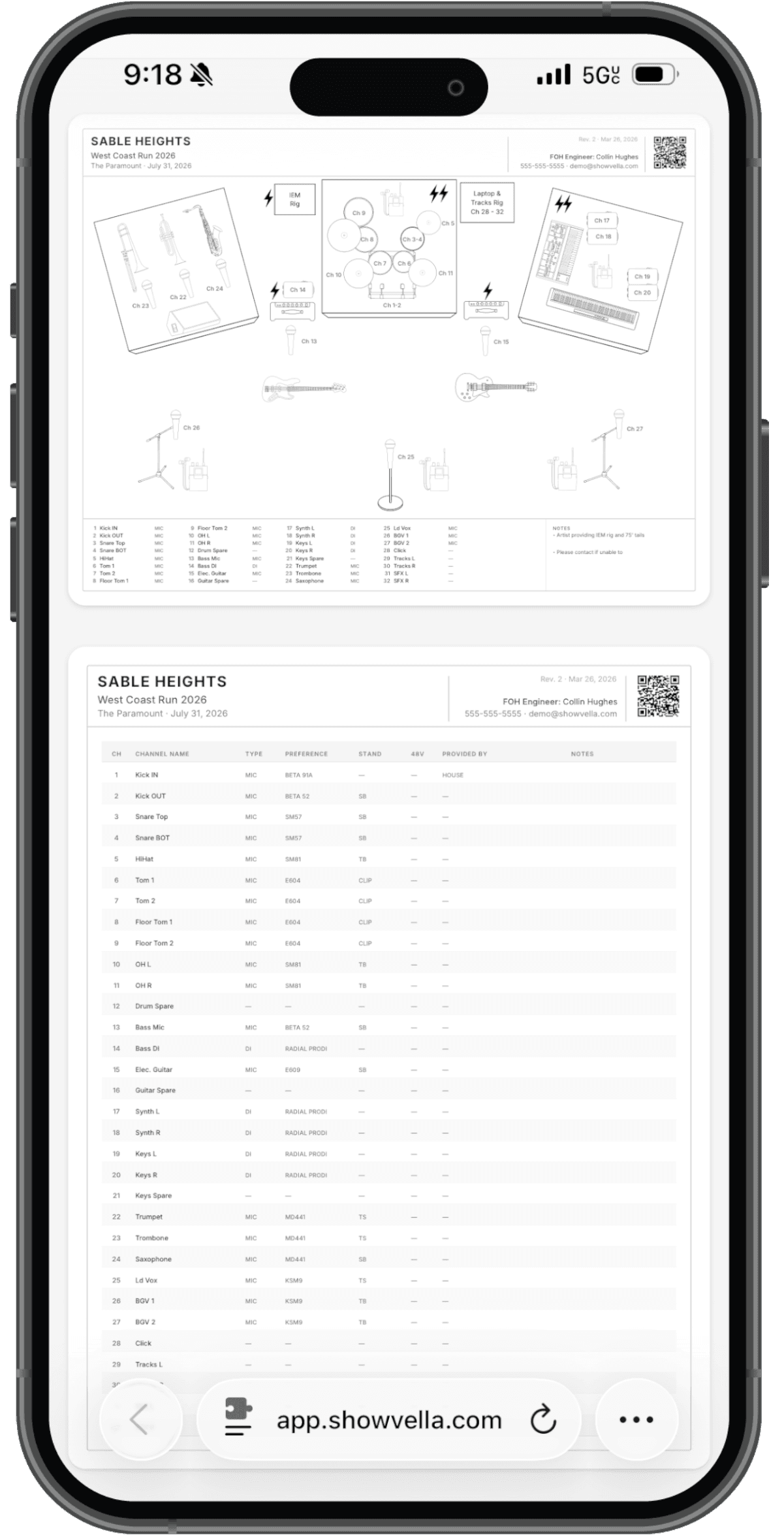
Your Show Details, Always Within Reach
Share a single link or QR code that always points to the latest version of your stage plot and input list—no resending, no confusion.
- Scan the QR code on your plot to pull up the latest version on-site
- One link per show that updates automatically with every revision
- Mobile-optimized, so your crew can view it on any device
Built for shows. Not spreadsheets.
Stage plots in minutes
One change updates both
stay aligned
Custom templates
Look professional at every gig
Every show, handled
Edit from anywhere
Share instantly, no friction
Make on-site access effortless
Tech riders (coming soon)
Pricing
Plans that grow with your shows. Stage plots, input lists, and more on the way.
- 10 Active Shows
- Unlimited Revisions
- Custom Templates
- Shareable Links
- QR Codes
- No Watermark
Pro
For gigging musicians who want every show dialed in
- 70 Active Shows
- Unlimited Versioning
- Unlimited Custom Templates
- Shareable Links
- QR Codes
- No Watermark
Premium
For touring pros managing multiple acts and setups
- 300 Active Shows
- Unlimited Versioning
- Multi-Artist Management
- Unlimited Custom Templates
- Shareable Links
- QR Codes
- No Watermark
Frequently Asked Questions
Showvella is stage plot software built around how shows actually work. Every stage plot and input list is tied to a specific show, date, and venue — so nothing gets mixed up between gigs. Unlike paper or spreadsheets, it keeps your documents clean, organized, and standardized with built-in revision tracking. Works on any device and prioritizes smooth, accurate load-ins—so your shows run seamlessly, every venue, every time.
A stage plot is a visual diagram — usually a top-down view of the stage — showing where each performer, instrument, monitor, and piece of equipment should be positioned. An input list accompanies it, detailing every audio source that needs to be run through the mixing board (e.g., vocals, guitars, kick drum) along with their corresponding channel numbers and mic/DI preferences.
A technical rider is a document that outlines all of the technical requirements for an artist, band, or performance group. It serves as a comprehensive contract addendum communicating what the artist needs from a venue in order to perform. This typically includes things like power requirements, lighting specs, audio equipment, backline needs, and stage dimensions.
Both the stage plot and the input list are components within the technical rider, but they serve a specific purpose: helping the venue's sound and production crew set up the stage correctly and efficiently before the artist arrives.
Showvella currently supports stage plot and input list creation. Tech rider support is coming soon — bringing all three documents together in one place.
Yes — and you absolutely should! Every show in Showvella gets its own stage plot and input list, so any time your setup changes, you create a show that reflects it. Adding a keyboard player to the lineup? New show. Performing as a trio instead of your full band? New show. The more accurate your plot, the smoother your load-in and soundcheck will go.
Yes — while Showvella is designed with music-specific productions in mind, it can work for any event that requires communicating a stage layout. If you find that our icon library is missing something specific to your industry, you can submit a request to our team. We review all requests and add icons as they align with the direction of our product.
Yes — Showvella automatically saves your work at 30 second intervals. As long as you have a stable internet connection, your progress will be preserved.
Keeping track of document versions has always been a challenge with stage plots and input lists — Showvella solves this for you. Every time you export, your documents are automatically tagged with a date and revision number, making it easy for you and anyone on the receiving end to confirm they're working from the latest version.
Showvella works on any device with a browser and internet connection. It is currently optimized for laptop and desktop computers, and we are actively working to introduce a mobile-friendly experience. Exported files are fully readable on any device.
Yes — if there is an icon missing from our library, you can submit a request to our team. We review all requests and add icons that align with the direction of the product.
Showvella stage plots are available for PDF download to share however you see fit. You can also generate a shareable link that always points to the latest version of your show — no resending needed. Each exported plot includes a QR code for quick on-site access too.
Yes, you can disable your shared link at any time. Doing so will also disable access granted by the QR code. Additionally, all sharing links are automatically disabled 7 days after the date of your event.
Yes — every show includes a linked input list. This applies across all plans, including the 70 active shows included with Showvella Pro. When tech rider support launches, that will be included with every show too.
Paid plans are offered on a monthly or yearly basis. Payments are securely handled through Paddle, and all subscriptions are cancelable at any time.
You may cancel or downgrade at any time by navigating to Account Settings and then to Plan. These changes will take effect at the end of your next billing cycle.
Canceling your subscription is the equivalent of downgrading to Showvella Basic. Only upcoming and unscheduled shows count toward your plan limit — past shows are never archived. If you downgrade, your active shows will be reduced to the number allowed on your new plan, with the nearest upcoming shows being retained. For example, if you have 100 active shows and downgrade to Showvella Pro (70 active show limit), your 70 nearest upcoming shows will remain active. All other active shows will be archived for 90 days, during which you can recover them by upgrading your account. After 90 days, archived shows are permanently deleted and cannot be recovered. Upon account deletion, all associated shows are immediately and permanently deleted and cannot be recovered.